Skip to content
New: secure browser sign-in for every Git host

The visual Git client that makes version control effortless

ZookaGit turns your repository into something you can see. Branches, merges and history become a living, interactive graph. Stage single lines with a click, undo any mistake, open pull requests, resolve conflicts visually, and work across GitHub, GitLab, Bitbucket and Azure DevOps from one beautiful desktop app.

  • Windows · macOS · Linux
  • Free for personal use
  • No credit card
ZookaGit mascot, the next-gen Git client: visual, powerful, effortless
✓ Pushed to origin/main
3 lines staged
Merged feat/new-ui

Works with the places your code already lives

GitHub GitLab Bitbucket Azure DevOps Gitea GitHub Enterprise Self-hosted GitLab Any Git remote over HTTPS or SSH
Take the tour

Your whole repository, alive on one screen

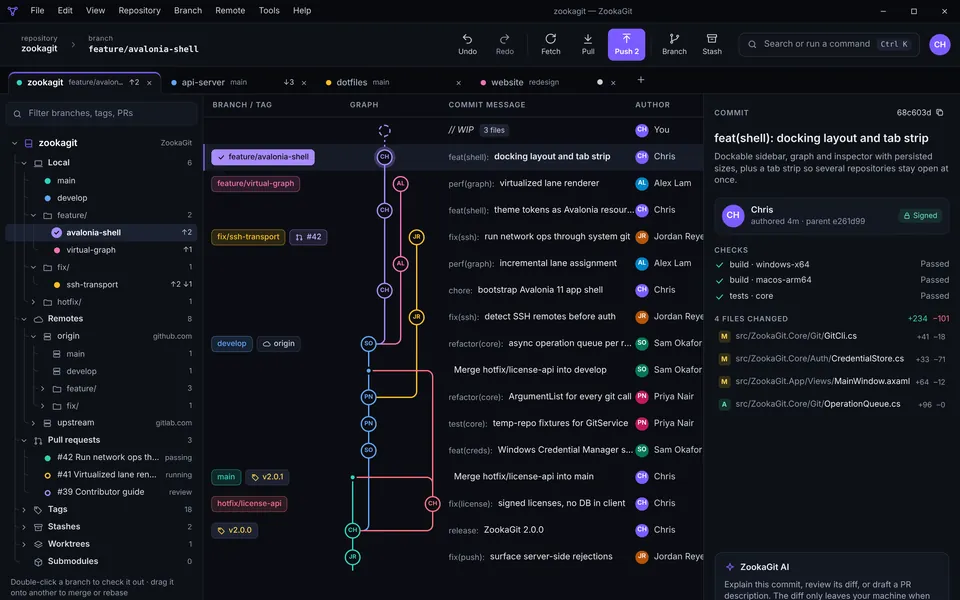
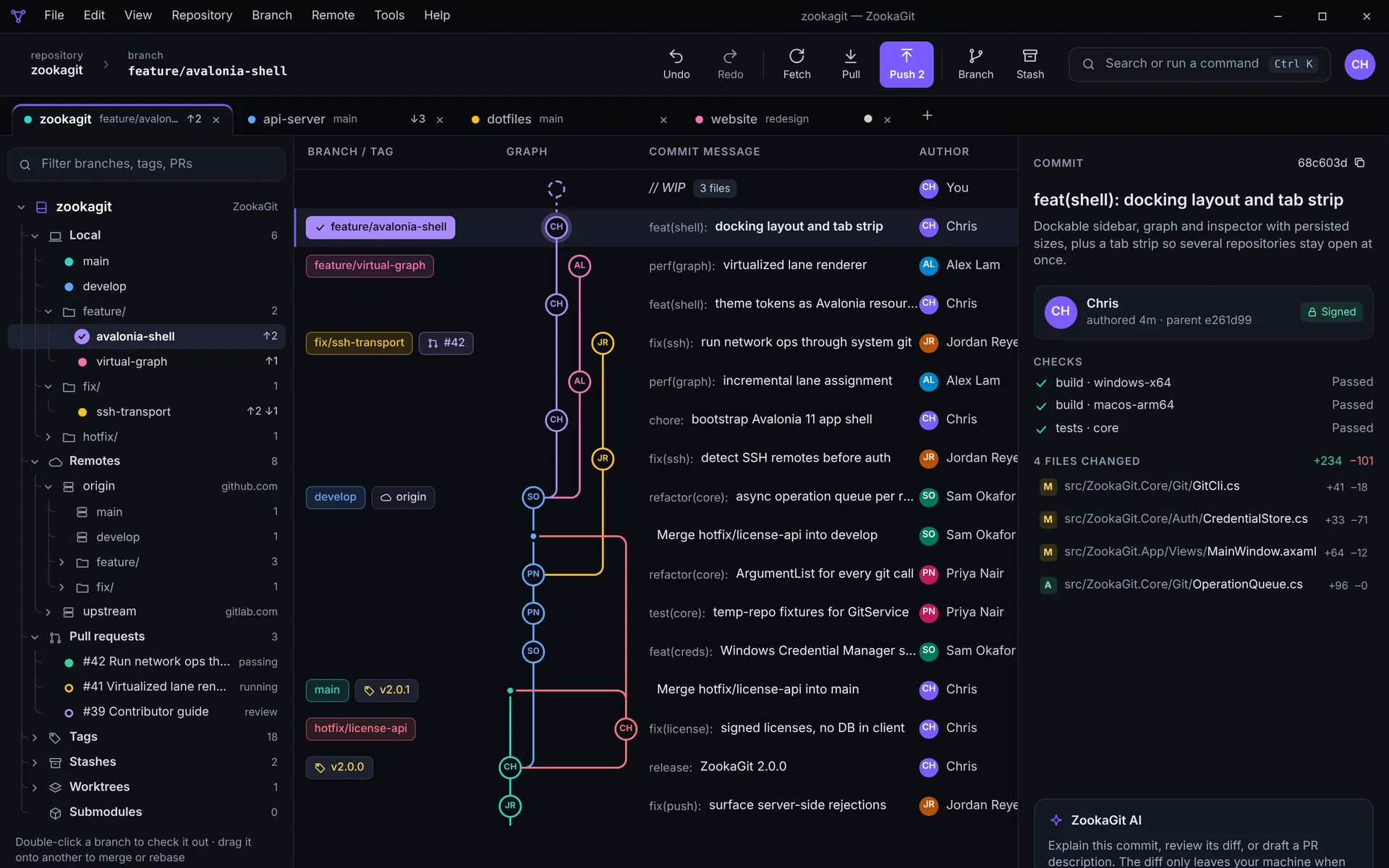
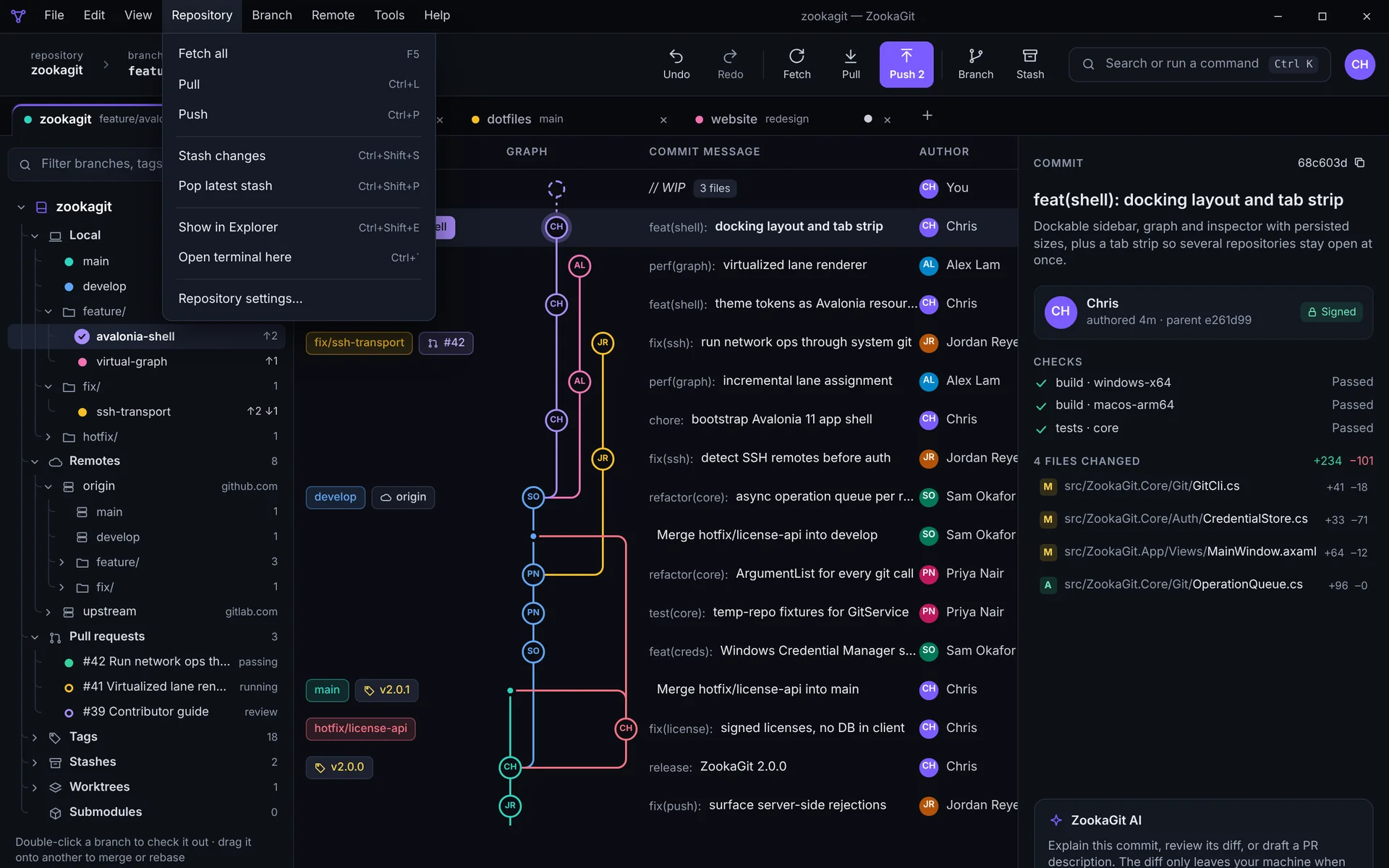
This is ZookaGit. The commit graph, your branches, pull requests and the details of every commit sit side by side, so you always know where you are and what's about to happen. Click through the screens below, or just watch.

ZookaGit main window: a colour-coded commit graph with branches, tags and pull requests, a sidebar of local and remote branches, and commit details with checks and changed files
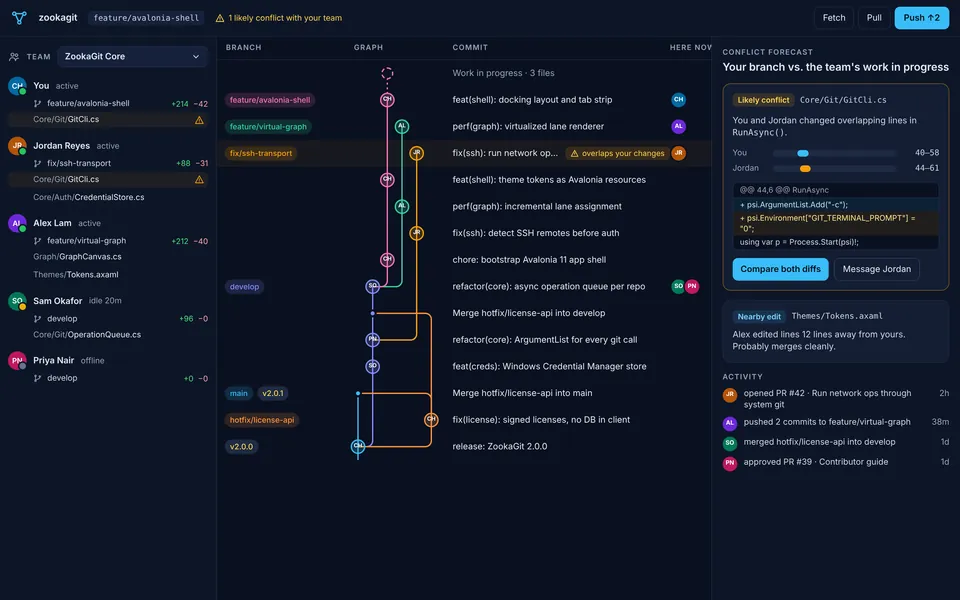
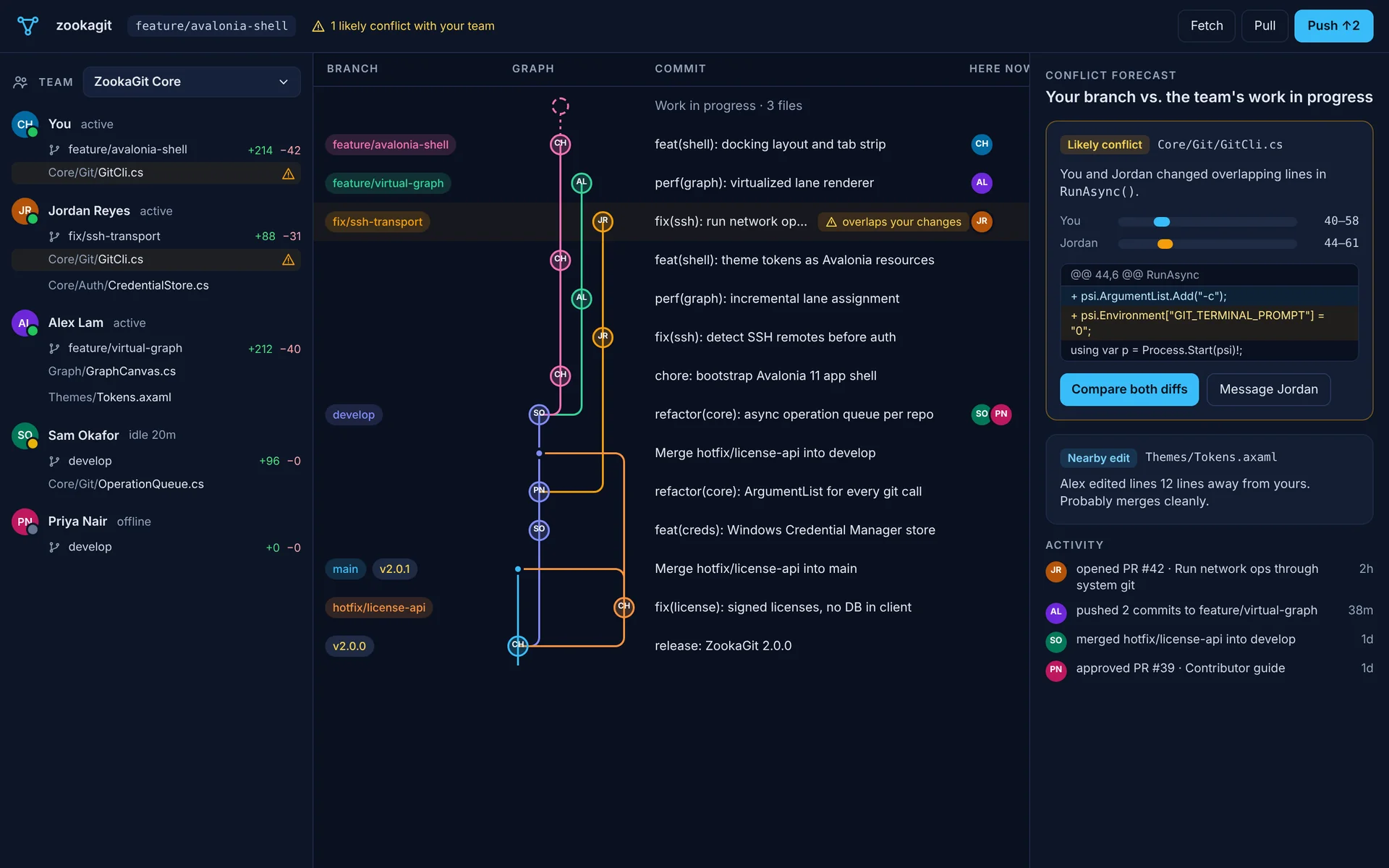
ZookaGit team radar: teammates with their branches and changed files, the shared commit graph, and a conflict forecast warning that two people edited the same lines
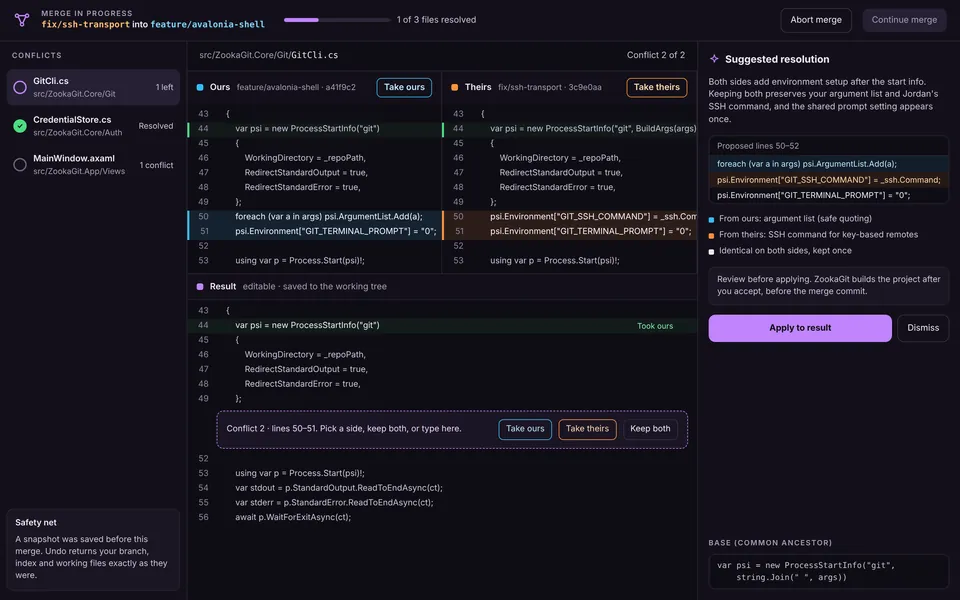
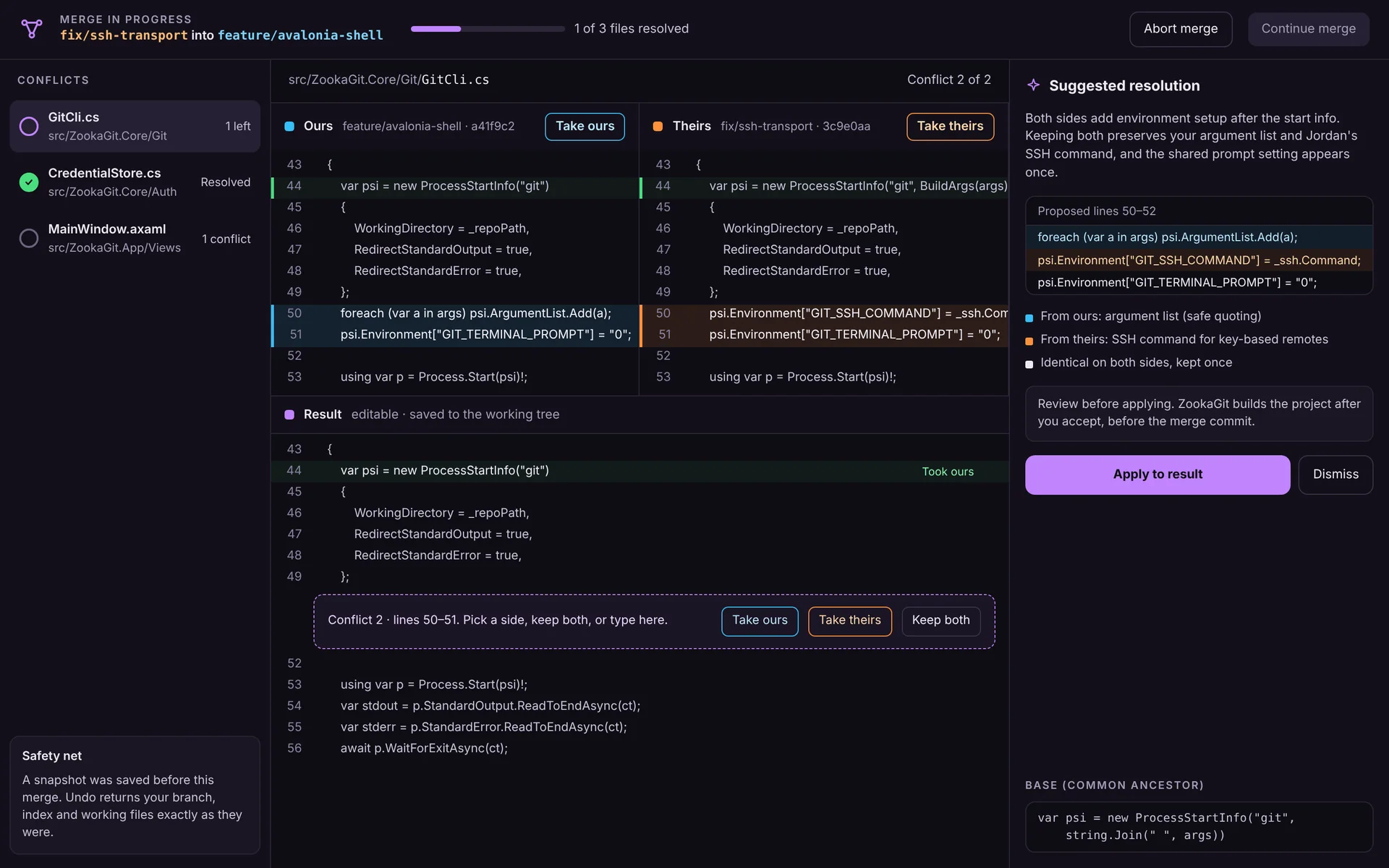
ZookaGit merge conflict editor: ours and theirs side by side, a result pane with take ours, take theirs or keep both, and a suggested resolution
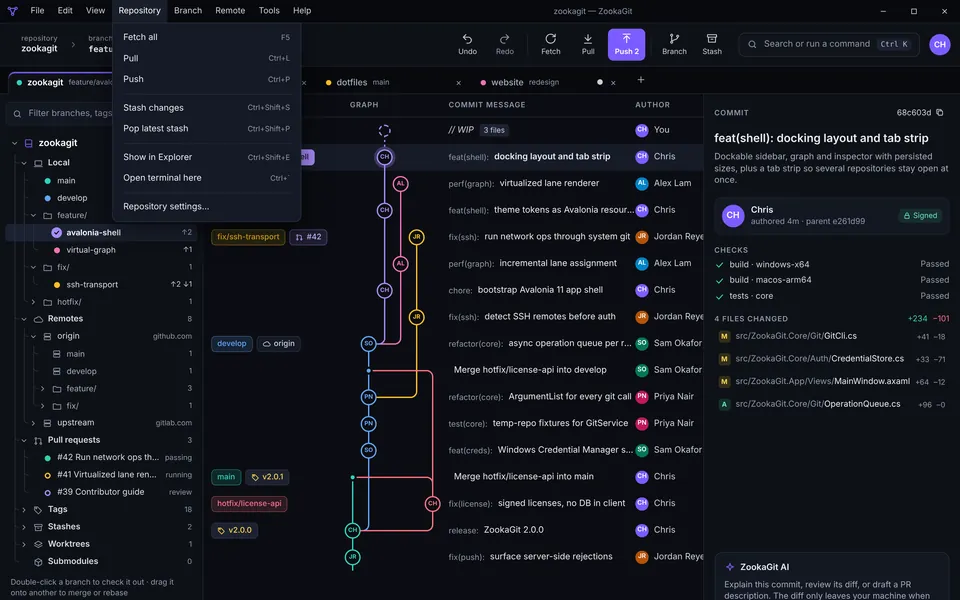
ZookaGit with the Repository menu open: fetch, pull, push, stash and terminal commands with keyboard shortcuts
0K+
commits drawn in a smooth graph
0
Git hosts with one-click sign-in
0
desktop platforms, one app
0
passwords stored by ZookaGit
Why ZookaGit

Git is powerful. Using it shouldn't feel like defusing a bomb.

The command line is fast once you know every flag, but most of the time you just want to understand what's going on: which branch you're on, what changed, what's about to be pushed, and how to get back if something goes wrong. ZookaGit puts all of that on one screen. You keep the full power of Git, because ZookaGit runs real Git under the hood, and you gain a clear picture of your work, guard rails that catch mistakes before they happen, and an undo button for the ones that slip through.

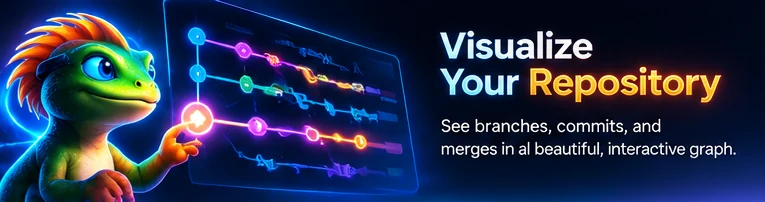
Visualize your repository: see branches, commits and merges in a beautiful, interactive graph
Commit graph

See your whole repository at a glance

Every branch, merge and tag is drawn as a smooth, colour-coded graph that stays fluid even on repositories with a hundred thousand commits. You can finally see how your work fits together instead of piecing it together from log output.

The graph isn't just a picture, it's the control panel for your repository. Click any commit to see its files and diff. Right-click to check out, create a branch, cherry-pick, revert or reset. Search by message, author or hash, and jump straight to any branch.

  • Colour-coded lanes for every branch
  • Search commits by message, author or hash
  • Local and remote branches side by side
  • Smooth scrolling on very large histories
Manage branches with confidence: create, merge, rebase and keep your work flowing
Branching

Branch, merge and rebase without fear

Create a branch from any commit, switch with a double-click, and merge or rebase with a clear preview of exactly what will happen. ZookaGit warns you before you push to a protected branch or throw away work that isn't saved anywhere else.

Every risky action is recorded in an undo journal. Reset the wrong branch, delete one by accident or botch a rebase, and a single click puts everything back the way it was. That safety net changes how you work: you start experimenting instead of tiptoeing.

  • Undo for commits, resets, merges, rebases and deleted branches
  • Interactive rebase: reorder, squash, edit and drop
  • Choose merge, rebase or fast-forward when you pull
  • Clear warnings before anything destructive
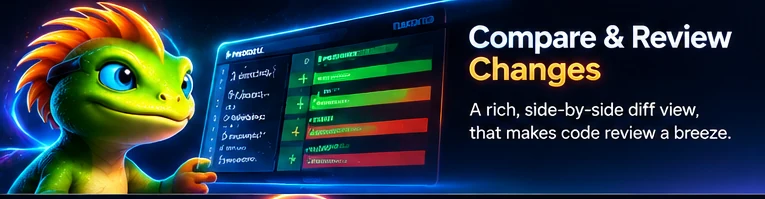
Compare and review changes in a rich, side-by-side diff view that makes code review a breeze
Diff and staging

Review every change, line by line

Good commits tell one story. ZookaGit lets you stage whole files, single hunks or individual lines, so the debug print and the real fix never end up in the same commit. Staging buttons sit right where you need them, and a clear summary and description field make writing a good message the natural thing to do.

The diff viewer shows exactly what changed, with syntax colouring and word-level highlights. Before you commit, the author card shows which name and email will be recorded, so you never push work under the wrong identity again.

  • Stage files, hunks or single lines
  • Inline and side-by-side diff views
  • See and change the commit author before you commit
  • Discard individual changes safely
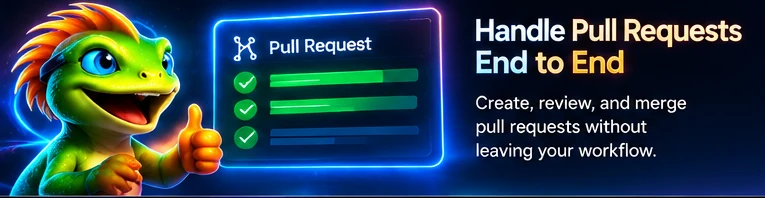
Handle pull requests end to end: create, review and merge without leaving your workflow
Pull requests

Pull requests, start to finish

Push a branch and ZookaGit offers to open a pull request right away, with the title and description filled in from your commits. Pick the target branch, add reviewers and you're done, without hunting for the right page in a browser.

Open pull requests for the current repository are listed right inside the app, with their status, author and branch. Check one out locally with a click to test it, review the changes in the diff viewer, then merge when it's ready.

  • Create pull requests from the branch you just pushed
  • Works with GitHub, GitLab, Bitbucket and Azure DevOps
  • Check out any pull request locally
  • See review status at a glance
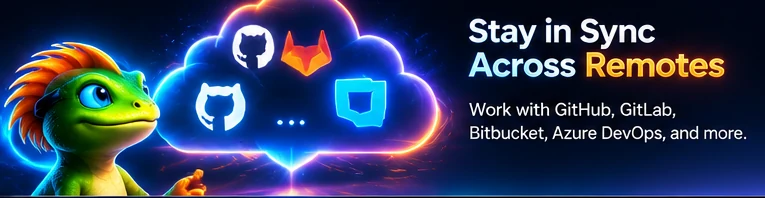
Stay in sync across remotes: work with GitHub, GitLab, Bitbucket, Azure DevOps and more
Remotes and accounts

Stay in sync across every remote

Fetch, pull and push with one click and see exactly how far ahead or behind you are. ZookaGit refreshes on its own when files change on disk, so the screen always matches reality, even when you're editing in another tool.

Signing in is painless. ZookaGit opens your browser, you approve it on the host's own website, and the token goes straight into your operating system's secure credential store. If a host needs an access token, a small window walks you through creating one and picks it up automatically.

  • Browser sign-in for GitHub, GitLab, Bitbucket and Azure DevOps
  • Several accounts per host, with one-click switching
  • Automatic refresh when files change
  • Plain-English explanations when a push or pull fails
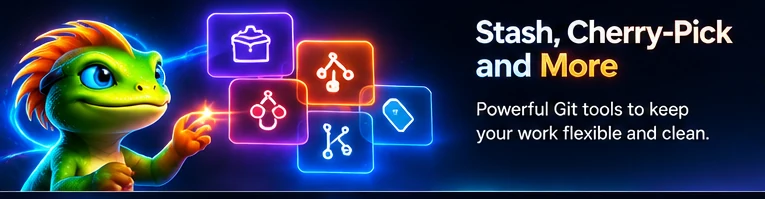
Stash, cherry-pick and more: powerful Git tools that keep your work flexible and clean
Power tools

Stash, cherry-pick, tag and more

Need to switch tasks in a hurry? Stash your changes with a name, then bring them back later exactly where you left them. Spot a fix on another branch? Cherry-pick it onto yours with a right-click.

Tags, revert, reset (soft, mixed or hard), clean, amend and more are all one click away and clearly explained. You get the power of the command line, with a description of what each action will do before you do it.

  • Named stashes you can apply, pop or drop
  • Cherry-pick and revert from the graph
  • Create and push tags
  • Amend the last commit in a click
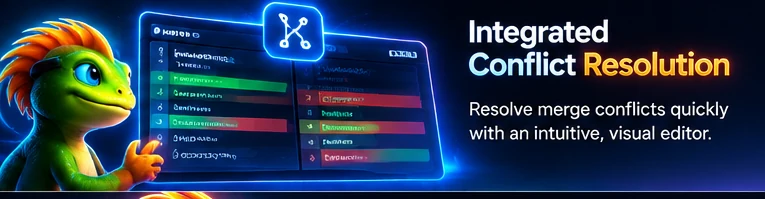
Integrated conflict resolution: resolve merge conflicts quickly with an intuitive visual editor
Merge conflicts

Resolve conflicts visually

Conflicts happen. ZookaGit makes them a lot less scary. Instead of a wall of angle brackets, you see your version and theirs next to each other, with a clear choice for every conflicting block: keep yours, keep theirs or keep both.

The conflict screen appears exactly when you need it, during a merge, rebase, cherry-pick or pull, and tells you how many files are left. When everything is resolved, continue the operation with one click, or abort and go back to where you started.

  • Your changes and theirs, side by side
  • Keep yours, theirs or both for each block
  • Continue or abort merges and rebases safely
  • Progress shown for every conflicted file
History that tells a story: explore your project's evolution with a rich, interactive timeline
History and blame

History that tells a story

Right-click any file to see its full history, even across renames. Step through each version, compare it with the one before, and jump to the commit in the graph to see what else changed at the same time.

Blame shows who last changed every line and when, with a heat map that makes recent work stand out. When you're trying to understand why code looks the way it does, the answer is one click away.

  • File history that follows renames
  • Line-by-line blame with a heat map
  • Jump from any line to its commit
  • Compare any two versions of a file
The commit graph

Watch your history unfold

Every line in the graph is a branch and every dot is a commit. Feature branches split off, grow and merge back, exactly the way they did in real life. Hover a commit to see who wrote it and when; click it to open the full diff.

The graph is drawn by a custom renderer built for speed. Lanes are laid out once and reused while you scroll, so even very large repositories stay smooth. Tags, remote branches and your current position (HEAD) are labelled right on the graph, so you always know where you are.

Animated commit graph: a main branch with two feature branches that split off and merge back main feat/new-ui fix/login
main feature bug fix
One app, every workflow

From your first commit
to your hundredth release

Solo side project or a team of fifty: history, branching, reviews, conflicts and teamwork all live in the same fast, focused window.

Try it free
Everything included

Small details that add up to a big difference

ZookaGit is full of thoughtful touches that save you a few seconds, or a few hours, every single day.

Undo everything

Commits, resets, merges, rebases, deleted branches and dropped stashes. Mistakes become a one-click fix instead of a lost afternoon.

AI commit messages

Draft a clear commit message from your staged changes, or get a plain-English explanation of any commit. Optional, and it uses your own key.

Multiple accounts

Personal and work accounts on the same host, side by side. ZookaGit picks the right one for each repository.

Native and fast

Built on .NET with a custom-drawn graph. It starts quickly and stays responsive on big repositories.

Auto refresh

Edit files in any tool and ZookaGit updates within a moment, without wasting time rescanning build folders.

Errors in plain English

Pushes rejected for large files, protected branches or expired sign-ins come with a clear explanation of what to do next.

Easy on the eyes

A carefully tuned dark theme designed for long sessions, with colours that make branches easy to tell apart.

Real Git underneath

ZookaGit drives the Git you already have, so hooks, aliases, LFS and your config all keep working.

Windows, macOS and Linux

One app with the same features everywhere, so your whole team can use the same tool.

Safe by default

Clear warnings before force pushes and hard resets, and a journal so you can always get back.

Recent repositories

Every repository you open is one click away on the welcome screen, so jumping between projects takes seconds.

Get started in minutes

From download to first commit in three steps

  1. 1

    Download and install

    Grab ZookaGit for Windows, macOS or Linux. It uses the Git already on your computer, so your existing settings, hooks and aliases keep working exactly as before.

  2. 2

    Sign in with your browser

    Click Sign in and approve ZookaGit on GitHub, GitLab, Bitbucket or Azure DevOps. When a host needs an access token, ZookaGit opens the right page and picks up the token for you.

  3. 3

    Open, clone and ship

    Open a folder or clone a repository and your graph appears instantly. Stage, commit, push and open a pull request without touching the terminal, unless you want to.

Integrations

One app for every Git host

Most developers juggle more than one account: a personal GitHub, a work GitLab, a client's Bitbucket, a company Azure DevOps. ZookaGit keeps all of them signed in side by side and automatically uses the right one for each repository. Switching accounts takes a single click from the menu at the top right.

Pull requests, avatars and repository lists come straight from each host, so you can see what needs your attention without opening five browser tabs.

For teams

Built for solo developers. Even better with your team.

Create a team on the ZookaGit website, invite people by email and give each member a role: owner, admin or member. Everyone on a paid team gets every Pro feature, and seats are billed per person, so you only pay for the people you actually have.

Shared workspaces group the repositories your team works on, so a new teammate can open the whole project in one click. The team view shows who is working on which branch, which makes it far easier to avoid stepping on each other's changes and to spot merge conflicts before they happen.

  • Invite links and email invitations
  • Owner, admin and member roles
  • Per-seat billing with a free tier for small teams
  • Shared workspaces and a live team view
Create a team
Built for individual developers and teams: a collaborative Git experience for projects of any size
Security and privacy

Your code and your keys stay yours

ZookaGit was designed so that the safest way to work is also the easiest one.

Keys live in your OS vault

Sign-in tokens are stored by Git Credential Manager in Windows Credential Manager, the macOS Keychain or the Linux secret service. ZookaGit never writes them to a settings file.

Sign in on the real site

You sign in on GitHub's, GitLab's, Atlassian's or Microsoft's own page in your browser. ZookaGit never asks for, sees or stores your password.

Your code stays local

ZookaGit works on the repositories on your computer and talks directly to your Git host. Your source code is never uploaded to ZookaGit servers; team presence shares only branch and file names.

AI only when you ask

AI commit messages are optional and stay off until you add your own key. Only the staged changes you choose are sent, and only when you click.

Made in Canada badge featuring the ZookaGit chameleon in a tuque and sunglasses
Proudly Canadian

Made in Canada, built for developers everywhere

ZookaGit is designed and built in Canada by BrainCreativesIT, a small independent team that writes code every day and wanted a Git client that felt as good as the rest of their tools.

Being independent means we answer to the people who use ZookaGit, not to advertisers. There are no ads, we don't sell your data, and the features we build come from real feedback. If something slows you down, tell us and we'll fix it.

FAQ

Questions, answered

Is ZookaGit free?

Yes. ZookaGit is free for personal and open-source projects, including the commit graph, staging, undo, history, blame and sign-in for every supported host. Pro adds advanced tools such as AI commit messages, in-app pull request review and the visual conflict editor. Teams gives every member of your team the Pro features, billed per seat.

Which operating systems does ZookaGit support?

ZookaGit runs on Windows, macOS and Linux, with the same features on each platform.

Do I need Git installed?

Yes. ZookaGit uses the Git already installed on your computer, which means your configuration, hooks and aliases keep working. On Windows, Git for Windows also includes Git Credential Manager, which ZookaGit uses for secure sign-in.

Which Git hosts does ZookaGit work with?

ZookaGit works with GitHub, GitLab, Bitbucket, Azure DevOps and Gitea, including self-hosted and enterprise versions, plus any other Git remote over HTTPS or SSH.

Where are my passwords and tokens stored?

ZookaGit never stores your password. You sign in on your Git host's own website, and the resulting token is stored by Git Credential Manager in your operating system's secure store: Windows Credential Manager, the macOS Keychain or the Linux secret service.

Can I use more than one GitHub account?

Yes. You can sign in to several accounts on the same host, for example a personal and a work GitHub account, and switch between them from the account menu. ZookaGit uses the right account for each repository.

Is my source code uploaded anywhere?

No. ZookaGit works on the repositories on your computer and talks directly to your Git host. Your code is never uploaded to ZookaGit servers. The ZookaGit website stores your account, team membership and billing details and, if you are signed in to a team, which repository and branch you have open and the names of the files you are changing, so teammates can be warned about overlapping work. File contents never leave your computer.

How do teams work?

Create a team on the ZookaGit website, invite members by email or link, and assign roles: owner, admin or member. Small teams can start free; paid teams are billed per seat and every member gets the Pro features.

Can I undo a mistake like a hard reset or a deleted branch?

Yes. ZookaGit keeps a journal of risky operations, including commits, resets, merges, rebases, deleted branches and dropped stashes, so you can restore the previous state with one click.

Ready to fall in love with Git?

Download ZookaGit free and open your first repository in under a minute. Your future self, the one who just undid a bad rebase in one click, will thank you.